Understanding the Core Features
A gaming monitor isn’t just a regular display with a cooler name it’s built for speed, clarity, and responsiveness. The goal is to reduce anything that could slow you down or muddy up the action, especially in fast paced games.
First, focus on resolution. 1080p (Full HD) is still the most common and easiest on your system. 1440p (QHD) is the sweet spot right now sharper images without crushing your frame rate. 4K offers insane clarity but requires serious GPU power to keep up.
Refresh rate is next. Measured in hertz (Hz), this tells you how many frames the monitor can show per second. For casual gaming, 60Hz is fine. But if you want smoother motion especially in FPS or racing games go for 120Hz or higher. 144Hz is the minimum for serious players. 240Hz and up? That’s elite territory.
Don’t ignore response time. This determines how fast pixels shift from one color to another. Lower is better. Look for 1ms to 5ms, max. Anything slower and you risk ghosting those annoying afterimages during motion.
Panel type also matters. TN panels are fastest but have weak color and viewing angles. IPS offers stronger visuals and color accuracy, great for immersive games or content creation. VA panels sit in between better contrast than TN, not quite as fast, but good enough for most.
Now, budget vs. performance. Don’t max your spending on just one spec. A 4K monitor with a 60Hz refresh rate might look great standing still, but if you’re into high speed gameplay, a 144Hz 1440p display is often the smarter call. Get what matches your style and your system’s limits.
Refresh Rate Breakdown
Let’s get straight to it refresh rate is how many times your monitor updates the image on screen per second. 60Hz means 60 times per second. Push that to 144Hz or 240Hz and you’re getting a much smoother experience, especially when things move fast.
If you’ve only ever gamed on 60Hz, switching to 144Hz feels like someone cleaned the gunk off your screen and unshackled your character. Movement is fluid, mouse input feels tighter, and gameplay just looks more real time. Go up to 240Hz and that responsiveness gets even crisper, though the improvement from 144Hz to 240Hz isn’t as jaw dropping as the jump from 60Hz to 144Hz.
For competitive gamers, higher refresh rates aren’t optional they’re a weapon. Every extra frame you see and react to faster can mean the difference between a win and a respawn. Casual players? You’ll still feel the difference, sure, but you’re not losing sleep if you aren’t running 240Hz.
The caveat: your graphics card has to keep up. If your GPU can’t push out high enough frames to match the refresh rate, you’re not getting the full benefit. A 240Hz monitor with a mid tier GPU churning out 90FPS is overkill. Aim for balance pair the monitor with hardware that can feed it.
Bottom line: 144Hz is the sweet spot for most. 240Hz and higher is for the ultra competitive. Just make sure your rig can walk the walk, not just talk the spec sheet.
Resolution Showdown
Let’s break it down:
1080p (Full HD) is still the baseline for most gamers. It’s light on system resources, supports high frame rates easily, and works well on smaller screens (24” or less). If you’re playing competitive shooters and want every frame possible, 1080p paired with a high refresh rate is still a strong combo.
1440p (Quad HD) hits the sweet spot. It’s noticeably sharper than 1080p without crushing your GPU like 4K. If you’re running a mid to high tier graphics card and want better visuals without losing fluid gameplay, this is your zone. It’s ideal for gamers who care about both fidelity and frame rate.
4K (Ultra HD) delivers razor sharp detail when your setup can handle it. At 3840×2160, games look stunning, but the demand is real. You’ll need a beefy GPU, and even then, you might have to dial back frame rates unless you’re gaming on a powerhouse.
Here’s the trade off: Higher resolution means better visuals, but at the cost of frame rate. If you’re into fast paced, competitive games, frame rate almost always wins. If you play story driven, cinematic titles or just want the best eye candy, 4K becomes more attractive.
When does resolution matter most? Bigger screens and slower paced games. If you’re gaming on a 32” monitor or love open world epics, you’ll appreciate the extra pixels. For everyday multiplayer or esports action, smoother frames make the bigger difference.
Adaptive Sync Tech: G Sync vs. FreeSync

Screen tearing is exactly what it sounds like your game looks like it got sliced up and stitched back together wrong. It happens when your graphics card and your monitor are out of sync. The GPU sends out frames at one speed, the monitor refreshes at another, and the result is visual chaos, especially during fast action.
Enter adaptive sync: G Sync (NVIDIA) and FreeSync (AMD). These techs force your monitor to match your GPU’s frame rate in real time instead of running on its own clock. That means smoother gameplay, fewer distractions, and no random horizontal lines trying to ruin your aiming.
G Sync tends to be a bit pricier and requires specific hardware support, while FreeSync is more open and budget friendly. Thankfully, recent advancements mean that many displays support both even some FreeSync monitors now work with NVIDIA cards under certain conditions. So compatibility is less of a dealbreaker than it used to be.
For everyday gamers, the impact is real. Whether you’re into single player epics or online firefights, adaptive sync means less stutter and less lag. It’s not fluff it’s a legit improvement that you’ll feel the moment you fire up a match or hit a cutscene at full speed.
Panel Types: TN, IPS, VA
When it comes to gaming monitors, panel type isn’t just a footnote it directly shapes your experience. Let’s break down the big three: TN, IPS, and VA.
If you’re chasing raw speed, TN (Twisted Nematic) panels are the fastest. They offer the lowest response times often 1ms or better and minimal input lag, which is why they’re still a go to in esports. But there’s a trade off. TN panels usually have subpar color reproduction and narrow viewing angles. They’re not pretty, but they’re fast.
IPS (In Plane Switching) is the middle ground. You still get solid response times (typically around 4ms, sometimes better), but with far better color accuracy and viewing angles. If you care about your game looking good like in open world adventures or story rich RPGs IPS is a smart pick. It’s the all rounder.
VA (Vertical Alignment) panels bring deep contrast and solid colors, but they can lag behind in response times especially in fast twitch games. Ghosting and motion blur are more noticeable in action heavy titles, so they’re not a popular choice for competitive shooters. That said, VA shines in games where immersive visuals matter more than split second reactions.
In short: for esports, go TN if you care only about reaction time. Want visuals that pop without losing too much speed? IPS wins. For cinematic games or hybrid use think horror, RPGs, or console gaming VA can be enough. Just know what kind of gamer you are before picking your panel.
Game Specific Optimization
Not all games demand the same monitor features. What works for a high speed first person shooter might not deliver the same performance for a story rich RPG or hyper realistic racing sim. To get the most immersive and responsive experience, tailor your monitor choice to the types of games you play most.
Matching Monitor Features to Game Genres
Different genres place different demands on your display. Here’s what to look for, based on your gaming preferences:
First Person Shooters (FPS):
Prioritize high refresh rates (144Hz or higher) for ultra smooth motion.
Low input lag is critical for competitive performance.
Response time should be under 5ms ideally 1ms for fast action.
Racing Games:
Look for high refresh rates (120Hz or higher) and excellent motion handling.
Wide color gamut and good contrast ratios enhance track realism.
Curved or ultra wide monitors can boost immersion.
Role Playing Games (RPGs):
Rich visuals call for better resolution (1440p or 4K) and accurate color reproduction.
HDR support can dramatically enhance light and shadow effects.
Wide viewing angles help with immersive, cinematic storytelling.
Understanding Input Lag and Why It Matters
Input lag is the delay between your actions and what appears on screen. Too much lag can ruin competitive gameplay and affect responsiveness.
Under 10ms input lag is ideal for competitive gaming.
Monitors with variable refresh rate (VRR) technology usually have low input lag.
Avoid overly complex display processing features that introduce lag.
HDR: When It’s Worth It
HDR (High Dynamic Range) can make a dramatic difference in visual fidelity if supported properly.
Essential for games with cinematic lighting and environments (e.g., adventure and RPG titles).
Look for HDR certifications like VESA DisplayHDR 400 or higher.
Note: Some monitors advertise HDR without providing real HDR performance check display brightness and color depth.
Refresh Rate vs. Visual Fidelity: What to Prioritize
It all comes down to your goals as a gamer:
Competitive players should prioritize refresh rate and response time over pure image quality.
Cinematic/story players might lean toward higher resolution and HDR for richer detail.
Casual gamers will benefit most from striking a balance 1440p at 144Hz offers an excellent middle ground.
Understanding the demands of your favorite genre is the fastest way to avoid overspending and underperforming.
Leveling Up Your Setup
You can have the best monitor on paper, but if it doesn’t match your rig, it’s just expensive overkill. A 240Hz display is pointless if your GPU can’t push past 100fps. Likewise, investing in 4K means nothing if your graphics card chokes under pressure. The key is balance know what your system can handle, then choose a screen that complements it. Before pulling the trigger, run benchmark tests, and compare specs honestly.
Explore performance upgrade options here if your current setup needs some muscle.
Then there’s the multi monitor question. Running dual (or even triple) screens gives you huge quality of life perks streaming on one screen while gaming on another, or keeping Discord and chat up without alt tabbing. For competitive gamers, not so useful. For content creators and multitaskers? Game changer.
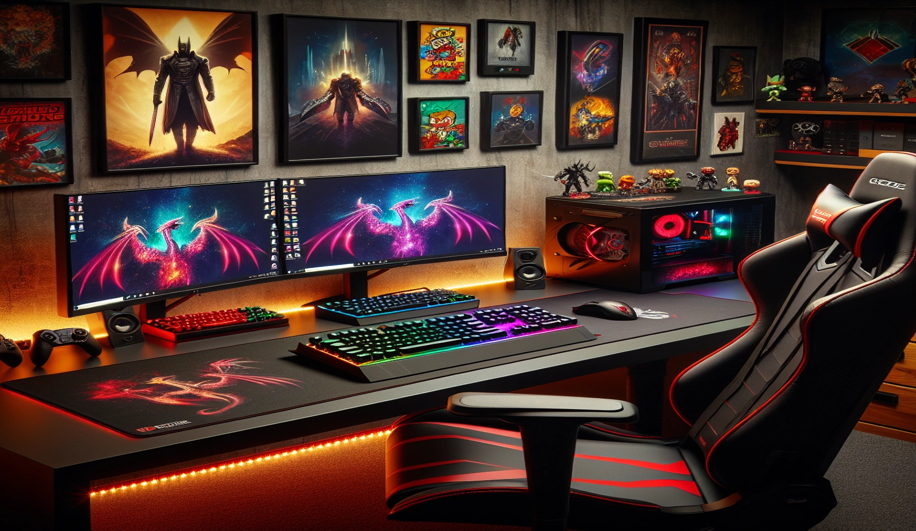
The downside: more screens demand more power, more space, and careful cable management. They also take time to configure just right. But if you’ve got the desk space and the ambition, multi display setups elevate the experience like few other upgrades can.
Final Buying Tips
It’s easy to get pulled into the hype. A monitor might flaunt 240Hz, HDR10, 4K, and a spaceship style stand but do you need all that? Probably not. Start by understanding your gaming habits. If you mostly play competitive shooters and care about every frame, refresh rate should be a top priority. But if you’re sinking hours into story driven RPGs, resolution and color accuracy will have a bigger impact. Don’t pay for extremes you’ll barely tap into.
Stick with brands that have a track record. ASUS, LG, Dell’s Alienware, Gigabyte these aren’t random names tossed into the mix. They’ve built reputations around reliability and consistent firmware support. Reviews matter, but real world performance over time trumps specs on paper.
Match your budget to your playstyle. A $300 500 monitor can cover most gamers’ needs, as long as you skip the fluff. Know where to put the money better panel quality, better stand ergonomics, or a higher refresh rate.
If you’re ready to fine tune your loadout, check out more upgrade options here: Find more performance upgrade options here.

 Charles Changestund is the kind of writer who genuinely cannot publish something without checking it twice. Maybe three times. They came to latest gaming gear reviews through years of hands-on work rather than theory, which means the things they writes about — Latest Gaming Gear Reviews, Esports Coverage, Game Updates and Insights, among other areas — are things they has actually tested, questioned, and revised opinions on more than once.
That shows in the work. Charles's pieces tend to go a level deeper than most. Not in a way that becomes unreadable, but in a way that makes you realize you'd been missing something important. They has a habit of finding the detail that everybody else glosses over and making it the center of the story — which sounds simple, but takes a rare combination of curiosity and patience to pull off consistently. The writing never feels rushed. It feels like someone who sat with the subject long enough to actually understand it.
Outside of specific topics, what Charles cares about most is whether the reader walks away with something useful. Not impressed. Not entertained. Useful. That's a harder bar to clear than it sounds, and they clears it more often than not — which is why readers tend to remember Charles's articles long after they've forgotten the headline.
Charles Changestund is the kind of writer who genuinely cannot publish something without checking it twice. Maybe three times. They came to latest gaming gear reviews through years of hands-on work rather than theory, which means the things they writes about — Latest Gaming Gear Reviews, Esports Coverage, Game Updates and Insights, among other areas — are things they has actually tested, questioned, and revised opinions on more than once.
That shows in the work. Charles's pieces tend to go a level deeper than most. Not in a way that becomes unreadable, but in a way that makes you realize you'd been missing something important. They has a habit of finding the detail that everybody else glosses over and making it the center of the story — which sounds simple, but takes a rare combination of curiosity and patience to pull off consistently. The writing never feels rushed. It feels like someone who sat with the subject long enough to actually understand it.
Outside of specific topics, what Charles cares about most is whether the reader walks away with something useful. Not impressed. Not entertained. Useful. That's a harder bar to clear than it sounds, and they clears it more often than not — which is why readers tend to remember Charles's articles long after they've forgotten the headline.