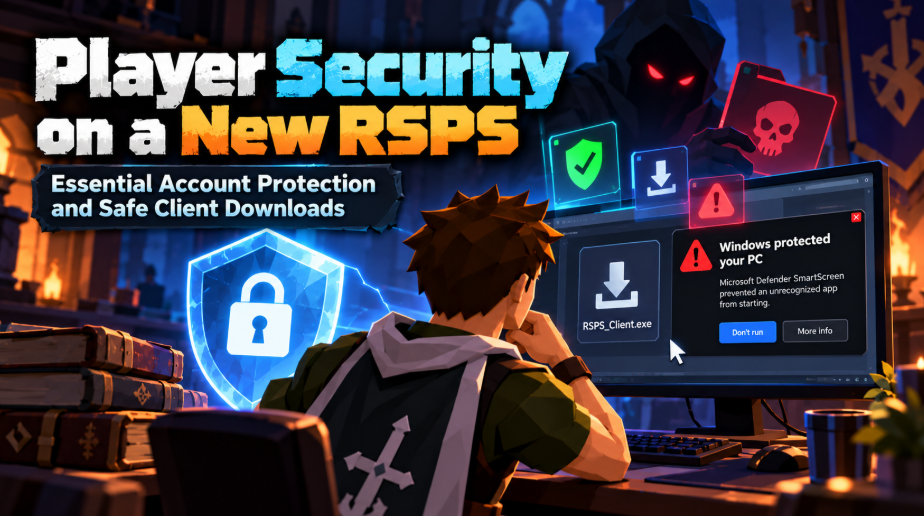
You find a new RSPS, click Download, and Windows blocks the launcher. Is the file dangerous, or is the app just unknown to Windows? The answer matters. An unsafe client can put more than your game character at risk.
Here’s how to spot fake downloads, protect your login, and deal with a suspicious file before it causes more trouble.
The Risk Is Bigger Than Losing In-Game Gold
An RSPS password protects your character. A client runs on your computer, where you may also have email, Discord, and saved browser logins. That makes a bad download more serious than stolen game items.
The RuneScape private servers directory on MoparScape can help you find game projects and their listings. It does not certify their software as safe. Private servers run independently of Jagex, and each team controls its own website, launcher, and account system.
Two threats matter most:
- Fake login pages. They copy a server’s design and collect passwords or one-time codes you enter.
- Harmful downloads. A fake launcher or plugin may install unwanted software, steal browser data, or access files after you run it.
The first attack needs you to enter information. The second may start when you open a program.
A File Extension Does Not Prove a Client Is Safe
RSPS clients come in different file types. Windows launchers often use .exe, Java clients may use .jar, macOS apps may arrive in .dmg files, and Android apps use .apk. A .zip file can contain any of them. None of these extensions guarantees safety.
Malicious files don’t always look like game installers. They may also appear as bonus claimers, reward tools, or code activators. For example, someone searching for a Hellcase promo code might encounter a fake offer that asks them to download a program to unlock it. A promotional code shouldn’t require running an unrelated executable.
That’s why checking the full filename matters. On Windows, a file named screenshot.png.exe is a program, not a picture. Enable file extensions in File Explorer so you can see what you’re actually downloading.
Find the Real Download Before Opening Anything
Fake game sites can use the same logo, screenshots, and colors as the real one. A working padlock or https:// only means the connection is encrypted. It does not prove who runs the website.
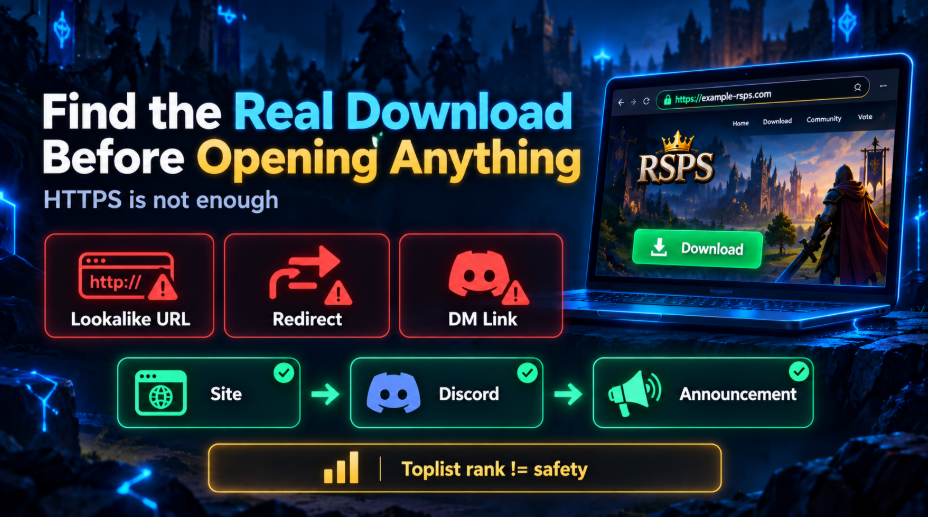
Start with a server listing or a web address you already trust. Check that its website links to the same Discord community and download page named in recent public announcements. If the team changed domains, look for confirmation through an established channel instead of following a random private message.
Three Links Worth Double-Checking
- Lookalike addresses. A changed letter, added hyphen, or extra word can send you to a different website.
- Unexpected redirects. A Download button that suddenly opens an unrelated sign-in page or file host deserves investigation.
- Private-message downloads. An account claiming to be staff may send a shorter or newer link that never appears on the project’s public pages.
An RSPS top list helps with discovery, but votes and rankings are not malware tests. Even a popular listing cannot prove that its linked launcher is trustworthy.
Understand the Warning on Your Device
Not all warnings mean the same thing. Microsoft SmartScreen uses file and publisher reputation. A new program can be marked unrecognized before it has a long download history. That’s different from security software finding known malware. Don’t ignore either message, but read what it actually says.
| Platform | Warning or Protection | Safer Response |
| Windows | SmartScreen or Microsoft Defender | Check whether the warning is about an unknown app or detected malware. Stop if malware is detected. |
| macOS | Gatekeeper or an unidentified developer warning | Confirm the developer and download source. Avoid bypassing protections for an unknown app. |
| Android | Google Play Protect flags an APK | Keep Play Protect on; it can inspect apps installed outside Google Play. |
| iPhone / iPad | A request to trust a profile or unknown app | Check the installation method. Do not trust an unfamiliar profile because a Discord post tells you to. |
A clean scan lowers concern, but it cannot promise that a file is harmless. A launcher may also download new files during an update.
What a File Hash Can Tell You
A developer may publish a SHA-256 hash, a long code tied to the exact contents of a file. You can calculate the hash of your download and compare it with the one posted through a trusted project channel.
- Matching hash: The files appear identical. It does not prove the original file is safe.
- Different hash: You may have another version, a damaged download, or a changed file. Don’t run it until you know why.
A digital signature is different. It can identify the signer and help show whether a signed file was changed. It does not guarantee that the publisher’s program is safe.
Fake Staff Messages Often Target Your Login
You get a Discord DM: “Your account is under review. Send the code from your email to keep it.” The sender has a moderator’s avatar. That still does not make the request real.
Attackers may copy names, steal a friend’s Discord account, or send fake support tickets. Watch for what they want you to do:
- Enter your password on a new page. A copied login form can send your details to an attacker.
- Share a one-time or recovery code. Those codes can unlock an account even when the attacker doesn’t know your password.
- Approve a Discord QR login. A QR code can sign another device into Discord if you approve it in the app.
- Run a “repair tool.” An attachment or copied terminal command may install software instead of fixing the game.
Go to a support channel you’ve opened yourself rather than replying through the sender’s link. For Discord QR logins, cancel any approval you did not start.
Voting Links Need Less Information Than Logins
A server may ask for a character name to award vote points. That’s not the same as asking for your account password. A voting page requesting password-reset links, two-factor codes, or Discord approval is a warning sign.
If vote rewards fail to arrive, use the server’s established support route. Don’t install a separate “vote reward claimer” sent in chat.
Keep Game Accounts Away From Your Main Logins
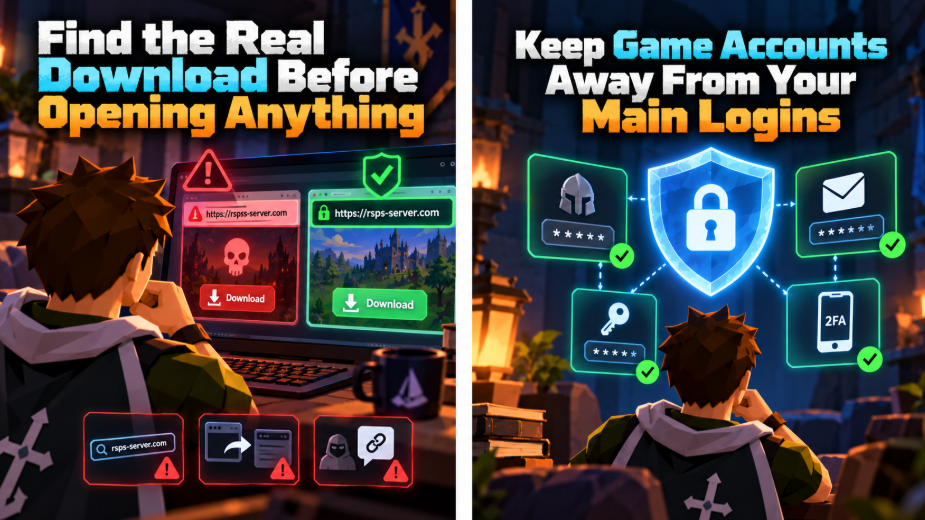
Reusing passwords is one of the easiest ways to turn an RSPS data leak into a much larger problem. Attackers can try the same email and password on other services.
Use a password manager to create a unique password for each server. Turn on two-factor authentication when the server offers it. Your email account needs its own strong password and MFA because it may receive account recovery links.
Also check what recovery options the server actually provides. The security tools on official RuneScape or Jagex accounts do not automatically protect independently operated RSPS accounts.
What About Account Migration?
A server can change owners, domains, or launchers. That gives scammers a reason to send fake “transfer your character” notices. Do not enter your old password into a new site merely because someone promises to preserve your bank. Confirm the move through an established public channel, and use a new password if you register with another operator.
Treat Plugins and Client Updates as Software
A plugin can be small and still run code. Extra loot trackers, “HD packs,” performance tools, and edited launchers need the same care as the main client. Calling something a RuneLite plugin does not make it part of the official RuneLite Plugin Hub.
Prefer tools built into the verified client. For any extra download, identify its developer, its update source, and why it needs to run. Be especially cautious of instructions to paste a command into PowerShell or Terminal without explaining what the command does.
A normal launcher may install updates. The danger is a surprise file sent by someone who claims the old client is broken. Check update notices in the project’s established channels and don’t replace your program with an attachment from a DM.
Mobile Downloads Have Their Own Warning Signs
Android apps may be shared as APKs outside Google Play. Keep Play Protect enabled and check permissions. A game may need an internet connection, but it needs a strong reason to request contacts, text messages, accessibility control, or device administration. Be careful with requests for screen recording or full device control too.
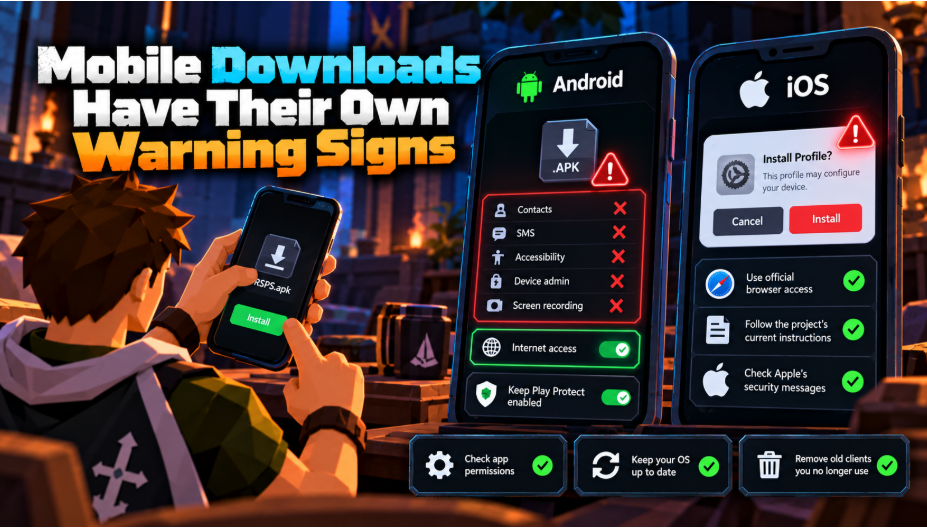
On iOS, a project may offer browser access or another supported distribution route. An unknown configuration profile or certificate is not a normal shortcut you should approve without understanding it. Check the project’s current instructions and Apple’s security messages.
For either platform, install operating-system updates and remove old clients you no longer use. A forgotten launcher may still contain old software even after you stop playing that server.
Think Twice Before Paying for In-Game Perks
Donations and special packs add payment risk. Check what the checkout sells, whether rewards are delivered to the right character, and what the refund rules say before paying.
Don’t send card numbers, identification documents, or payment passwords through Discord DMs. Save a receipt outside the game. If someone later claims you owe an extra “account unlock fee,” use your payment provider’s normal support process, not the contact details in that message.
An RSPS top list rank tells you nothing about payment safety or how a server stores player information. A working support route and readable privacy and purchase terms are more useful than a high position.
If You Opened a Suspicious Link or File
The right next move depends on what actually happened. Opening a page is different from entering your password or running an installer.
| What Happened | What to Do Next |
| Opened a page, entered nothing | Close it. Check for unexpected downloads and don’t allow notifications or other permissions. |
| Entered a password or one-time code | From a trusted device, change the password, secure the linked email, review active sessions, and revoke unknown access. |
| Downloaded a file but didn’t run it | Delete it without opening it. Check whether the browser launched anything automatically. |
| Ran a suspicious client or plugin | If malware is suspected, disconnect the device, use trusted security scans, and secure important accounts from another clean device. |
| Entered payment details on a fake page | Contact the bank or payment provider promptly and follow its instructions. |
If a Harmful Program May Have Run
A password change on an infected computer can expose the new password too. Use a separate trusted device to protect your email, Discord, and other important accounts. Review logged-in devices, connected apps, MFA methods, and recovery information. Revoke unknown sessions.
Run an updated security scan on the affected computer. If you cannot be sure the threat is gone, get professional help or consider a clean reinstall. Tell the RSPS team through a known support channel if your character account was affected. Item restoration is a separate issue and depends on that project’s policies.
Safer RSPS Play Starts Before the First Login
The best time to question a download is before you run it. A real website address, a client from a trusted project channel, active device protection, and a unique password eliminate several common ways players lose accounts.
You can enjoy a new server without treating every link or reward as a reason to install something. Your next boss drop should be the exciting part, not wondering what the launcher did to your computer.

 Ask flare909 how they got into upcoming game releases and you'll probably get a longer answer than you expected. The short version: flare909 started doing it, got genuinely hooked, and at some point realized they had accumulated enough hard-won knowledge that it would be a waste not to share it. So they started writing.
What makes flare909 worth reading is that they skips the obvious stuff. Nobody needs another surface-level take on Upcoming Game Releases, Esports Coverage, Gaming Hardware and Accessories. What readers actually want is the nuance — the part that only becomes clear after you've made a few mistakes and figured out why. That's the territory flare909 operates in. The writing is direct, occasionally blunt, and always built around what's actually true rather than what sounds good in an article. They has little patience for filler, which means they's pieces tend to be denser with real information than the average post on the same subject.
flare909 doesn't write to impress anyone. They writes because they has things to say that they genuinely thinks people should hear. That motivation — basic as it sounds — produces something noticeably different from content written for clicks or word count. Readers pick up on it. The comments on flare909's work tend to reflect that.