Pro Controllers That Actually Make a Difference
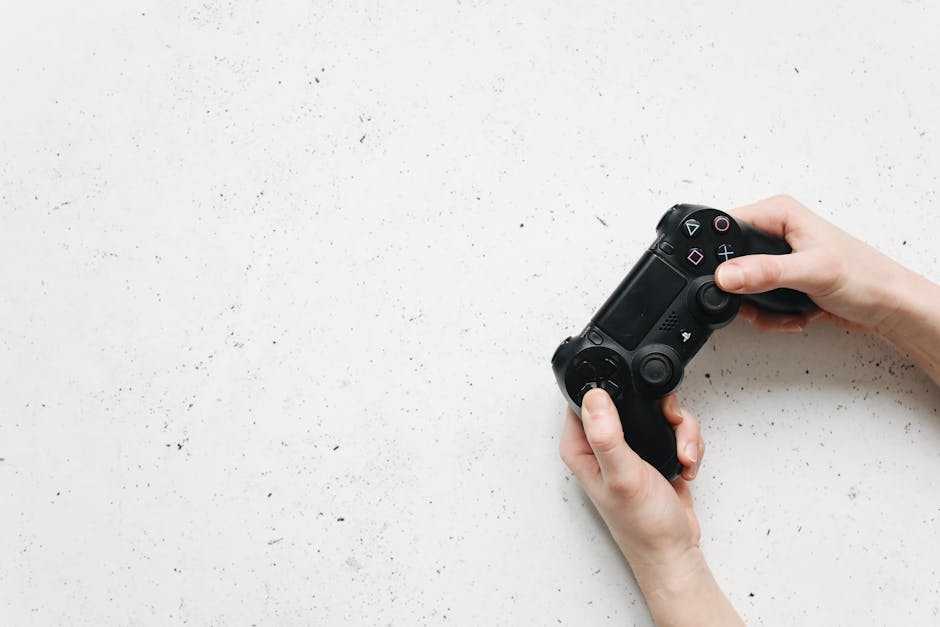
Stock controllers are fine until you know better. Premium controllers aren’t just about looking cool or showing off. They give players real mechanical advantages: more speed, more precision, less fatigue. These aren’t just toys they’re tools. And in competitive play or long haul sessions, that difference adds up fast.
What makes a pro controller worth the upgrade? Start with back buttons or paddles. These let you map essential functions (jump, reload, slide) without moving your thumbs off the sticks. Then you’ve got adjustable triggers shortening the pull on an aim or fire button is a matter of milliseconds, but those milliseconds win fights. Finally, swappable thumbsticks let you adjust the grip, range, and height to fit your hand and style.
For 2026, the top picks are dialed in. On PlayStation, the DualSense Edge is best in class with full programmability and modular sticks. Xbox players should look at the Elite Series 3 it’s a tank with surgical accuracy. Switch fans? The 8BitDo Ultimate sits at the sweet spot of performance, wireless flexibility, and price.
Whether you’re ranking up or just trying not to finish last, a premium controller is one of the few upgrades that gives you an edge you can feel every second you play.
Headsets That Don’t Compromise
Great audio isn’t optional anymore it’s a weapon. Whether you’re scanning the map in a tense multiplayer or sinking into a solo story, directional audio helps you hear what your eyes can’t see. Footsteps behind you, reloads down the hallway, incoming fire from the left it’s all about spatial awareness. For competitive players, it’s step one toward better reflexes. For everyone else, it just makes everything more real.
But immersion falls apart fast with a bad mic or constant background noise. That’s where active noise cancellation and broadcast grade mic quality come in. You want clarity when calling shots and silence when you’re locked in. Anything less is a distraction.
If you’re investing in 2026’s top tier headsets, a few names pop up consistently: the SteelSeries Arctis Nova Pro Wireless, Astro A50 Gen 4, and the Razer BlackShark V2 Pro. These models nail the holy trinity: sound quality, battery life, and comfort. They’re not cheap, but if sound matters, they’re worth it.
Serious gamers know what’s on your head matters as much as what’s in your hands.
Charging Gear That Saves Time
Let’s be honest no one wants to pause mid match because of a dead controller. Charging gear isn’t the sexy part of gaming setups, but it might be the most underrated. Start with a reliable multi controller dock. The best ones don’t just keep your gear ready they cut downtime between gaming sessions. Look for models with LED indicators and overcharge protection. Bonus points if they let you dock controllers without fumbling with cables.
Then there’s the great debate: rechargeable battery packs or standard disposables? Rechargeables win on cost and convenience over time. Most clip straight into your controller and recharge while docked, making them a no brainer for anyone who plays often. Standard AA batteries? Fine in a pinch, but expect more landfill guilt and uneven power delivery.
To avoid those power related rage quits, keep a backup controller charged and ready. And if portable chargers make sense for your playstyle or living room layout, invest once and forget the hassle. The fewer wires you chase and the fewer charging surprises you face, the better your games will flow.
Storage Expansion for the Long Haul

Your console’s factory installed storage won’t cut it for long not with modern game installs averaging well over 100GB. Smart gamers know that upgrading your storage is essential for futureproofing your setup, keeping load times short, and reducing the dreaded digital clean out.
Internal vs. External SSD Know the Difference
Choosing between internal and external SSDs depends on your console and your goals.
Internal SSDs:
Best for PlayStation 5 and Xbox Series X users
Often offer faster load times and seamless integration
Require some know how and installation time
External SSDs:
Great for expanding storage without opening up hardware
Plug and play options ideal for Xbox Series S and Nintendo Switch
Speeds may vary especially when loading next gen titles
Pro Tip: Always check your console’s compatibility list before buying internal drives. Firmware updates can impact performance.
How Much Storage Is Enough?
This answer will vary depending on your gaming habits, but here’s a guide for 2026:
Casual players: 1 2TB should handle your primary library
Competitive or variety streamers: 4TB or more to accommodate constant title rotation
VR or multimedia creators: Go big 5TB+ if you’re storing extra assets or files
Remember: modern titles often receive large updates post launch. Planning ahead prevents future headaches.
The Speed Stats That Actually Matter
In 2026, raw speed can still bottleneck your experience depending on what you play. Look for the following numbers:
Read speed: Aim for 5,000MB/s or faster for internal SSDs (important for PS5)
Write speed: 3,000MB/s and up for quicker patch installations
Interface: PCIe Gen4 NVMe for internal, USB 3.2 Gen2 or better for external
Don’t get caught chasing theoretical maximums what matters most is consistent performance under real world conditions.
Storage upgrades are no longer optional they’re part of building a console setup that lasts more than one hardware cycle. Choose wisely and keep your digital library ready to launch.
Accessories That Level Up Your VR Setup
VR Is Becoming Console Standard
Once considered a niche luxury, virtual reality is fast becoming mainstream especially on modern consoles. With the latest gen systems pushing native VR support and more AAA titles embracing immersive environments, VR isn’t just for PC gamers anymore.
New headsets designed specifically for PlayStation and other consoles
More game studios building VR experiences as core, not bonus, offerings
Consumers demanding deeper immersion from standard living room setups
If you’re looking to keep up, having the right accessories will determine whether your VR experience feels clunky or seamless.
Essential VR Gear for Comfort and Responsiveness
VR sessions can go from fun to fatiguing quickly without the proper gear. Investing in reliable accessories not only boosts performance it protects your neck, eyes, and response times.
Key upgrades to consider:
Comfort head straps Better weight distribution for longer play sessions
VR face cushions Swappable face pads made from breathable, washable materials
Motion controllers Ergonomic controllers with precise tracking for more natural movement
Charging solutions Multi device docks to keep your headset and controllers ready to go
For serious gamers or first time VR users alike, these upgrades create a much more comfortable and immersive gameplay environment.
Want the Full Breakdown?
For a deeper dive into the right accessories, hardware specs, and compatibility details, check out this resource:
VR Ready Hardware Guide: What You Need for an Immersive Experience
It’s a comprehensive walkthrough of what truly enhances your VR setup and what’s just marketing fluff.
Small Add ons, Big Impact
Sometimes it’s the low cost gear that makes the biggest daily difference. Thumb grips are a prime example they improve control, reduce slippage, and save your joysticks from early wear. No setup is complete without a few cheap rubbers to upgrade your grip. Same goes for controller skins: not just about style, they add a bit of shock absorption and keep your gear from collecting grime. Screen protectors, while basic, are insurance against scratches you can’t unsee later.
Now, about console cooling stands are they all hype? Depends. If your console lives in a tight, air starved cubbyhole or you game for hours without break, these stands can help prevent thermal throttling. But if your PlayStation or Xbox has breathing room and you’re a moderate user, you may not need the fan noise or extra clutter. Use judgment, not fear.
Last, the humble power strip. A good one isn’t just an extension cord. You want surge protection, spacing for chunky plugs, and maybe USB C ports if you’re future proofing. Bonus points for mountability and clean cable routing. It’s not glamorous, but it’s the backbone of your entire setup and worth the upgrade.
Final Tips for Buying Smart
Don’t treat your gaming rig like a status symbol. Treat it like a toolkit. That means being clear on what each accessory actually does for you and how much it’s worth.
Price to performance should be your north star. A $200 controller better offer more than just fancy lights and a sculpted grip. Look for real utility: faster inputs, customizable mapping, longer lifespan. Same with headsets, docks, storage each upgrade should earn its keep. Sometimes the mid tier gear delivers 90% of the performance for half the price.
Stick with trusted brands. You’re not just paying for a name you’re paying for consistency, firmware updates, and warranties that matter when things break inside the return window. Cheap knockoffs might save you a buck upfront, but they tend to die early, lag often, or straight up not work when it counts.
And here’s the hard truth: you don’t need everything. Just the right things. If you never play VR, skip the headset. If you roll single player on weekends, maybe the elite pro controller isn’t worth it. Identify what elevates your experience, get that, and move on.
Make your setup work for how you actually play not how a streamer on TikTok told you to play.